The short version: you sign up over five short screens with an email address or an Apple or Google account, the site asks for a photo of your face at your first log-in, and then you can browse. Sending messages is the part you pay for. We walked through the member site on 15 and 16 September 2026 and the sign-up itself on 17 September 2026, so the steps below match what is on screen now, not an older version of the site.
What do I need to sign up?
An email address or an Apple or Google account, a username and password, a few lines about yourself, and a clear photo of your face. The sign-up runs over five screens, and the CONTINUE button counts them off for you. We went through all five on the web on 17 September 2026. This is what each screen asks.
- Screen 1. I am, Looking for, age range slider 50 to 99, one box agreeing to the End User Service Agreement and Privacy Policy, then CONTINUE, or Sign up with Apple or Sign up with Google.
- Screen 2. Age (a list from 50 to 99, with the note "We only accept members who are 50 years of age or older"), Ethnicity (12 options), Height (4' 5" to 7' 0"), Open to Relocating or Traveling to Meet? Yes or No.
- Screen 3. Username ("Visible to others. Use a nickname."), Email, Password, Referral Code (optional), and a Cloudflare Turnstile check.
- Screen 4. About Me and About My Match, two free-text boxes of up to 4,000 characters each, with the placeholders "Describe what makes you a great partner" and "What kind of person and relationship are you hoping to find here?"
- Screen 5. Photos: "Add photos to make more connections and present your authentic self." No skip link was shown on the web.
The tick box on the first screen agrees to the terms from SuccessfulMatch.com, Inc., the company that runs the site. The age range is set to 50 to 99 to begin with. The form we read on 16 September 2026 also had an Email Address box on that first screen, so you may be asked for your email there rather than on screen 3. A note on the two shortcut buttons: choosing Sign up with Google binds the Google account but still returns you to step 1 to finish the five steps. So they save you a password and not much else.
I am
Looking for
My preferred age range 50 to 99
Tick box: By checking this box, I agree to SuccessfulMatch.com, Inc.'s End User Service Agreement and Privacy Policy
Buttons: CONTINUE / Sign up with Apple / Sign up with Google
Then, at your first log-in, the site asks for a photo of your face before it lets you in. On first log-in the site opens Verify Your Account ("Takes only 3-8 seconds", "No additional documents required") and asks for "a clear photo of your face", and until that photo is uploaded every member page (home, Flame, settings, payment) redirects back to the log-in screen. We did not upload one, so we could not get past that screen and cannot say what comes next. Have a plain, recent picture of your face ready before you start, or you will be stuck on that screen.
What happens after I make a profile?
You fill in a profile, add a photo if you have one ready, and the site shows you how complete it looks. On our account, the Edit My Profile page shows a percentage marked Profile Complete, with separate percentages for My Basics and Add More Photos. A fuller profile gives people more to go on, so it is worth finishing instead of leaving it half done.
You can add photos and a short voice introduction. One field is headed "Willing To Meet In Person Next 7 Days?", which is a quick way to tell other members you are ready to meet rather than only chat. You do not have to finish it in one go. Our own profile was still part finished while we browsed, and the site kept showing the percentage.
There is also a Get Verified page in the Me tab of the menu, with three checks. A photo check takes 3 to 8 seconds, a mobile number check takes about 5 seconds, and an email link confirms your address. The site says verification is free for now. Our older account worked without any of them. A new account is asked for the face photo at its first log-in, as described above, and the phone and email checks are still yours to choose. A verified profile carries a badge. Which of the three checks earns the tick that other members see is to confirm.
How do I find people?
Three ways: Flame, Gallery and Filters. Flame shows one profile at a time as a card you swipe. Gallery shows many profiles at once, which suits people who would rather browse than swipe. Both sit under Discover.
Filters open from the sliders icon, three short lines with knobs at the top right of the Discover screen, and they let you set who you see. You can pick the gender you are looking for, set an age range, and choose Anywhere or Living in. What the Living in option asks for is to confirm. There is a switch that widens the search once you have swiped through everyone who matches your filters. The picture below is that panel.
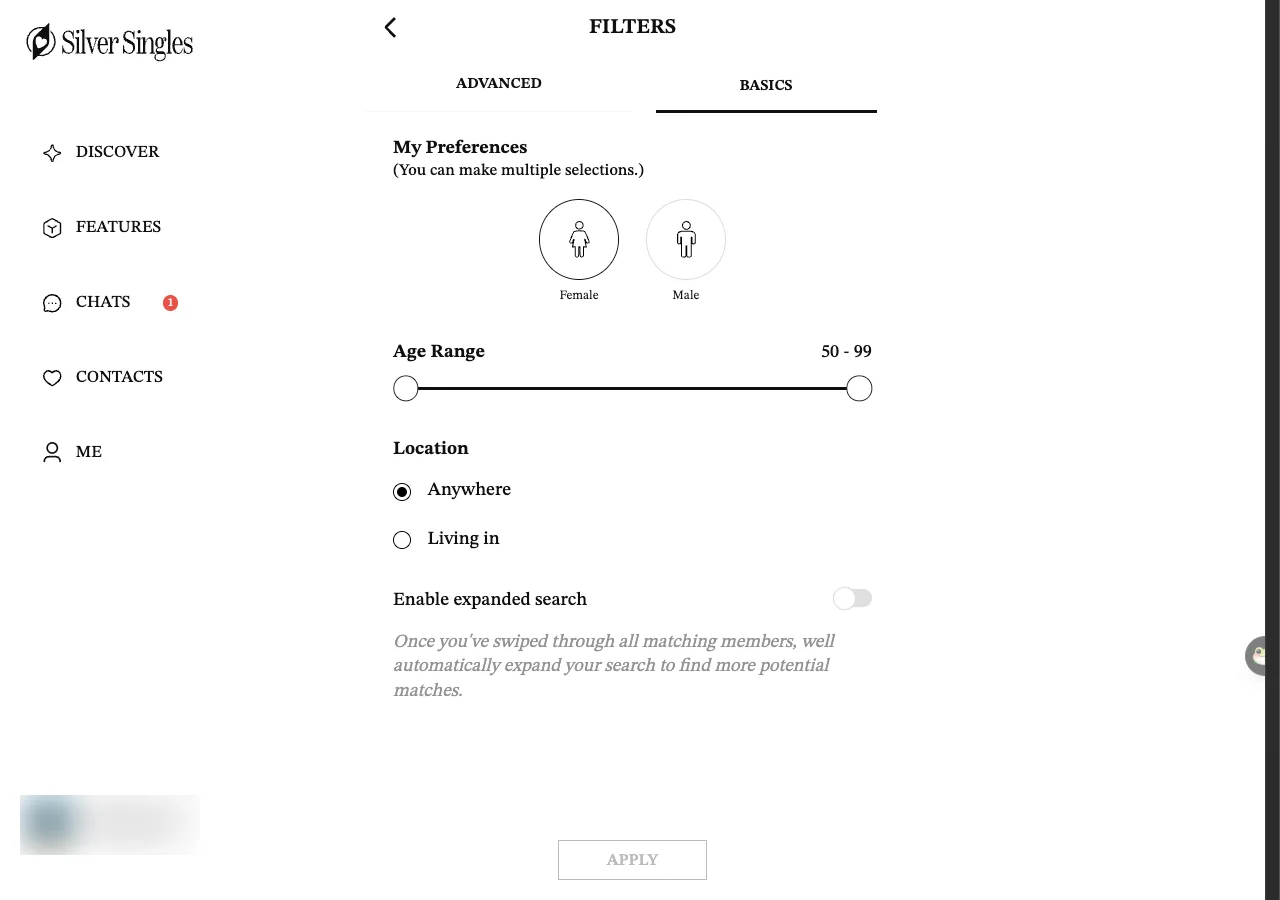
The basic filters are open to everyone. The advanced filters, and the daily curated matches the site picks for you, are part of Silver Select. If you only want to look, the free filters are enough to get started.
What can I do for free?
Quite a lot, but not messaging. A free account lets you do these things:
- Create a profile, add photos and a voice introduction
- Browse profiles in Flame and Gallery
- Join interest groups and see meet-up listings
The following need Silver Select, the paid tier:
- Send private messages to anyone
- See who liked you and who viewed you
- Advanced filters and curated daily matches
- Voice and video calls with your number hidden
- Browse anonymously and choose who can see you
- No adverts
The line that catches people out is messaging. You can browse for free, but you cannot start a private message until you have Silver Select. If that matters to you, read free versus Silver Select, which lists every paid feature and explains what each one does.
How do meet-ups and groups work?
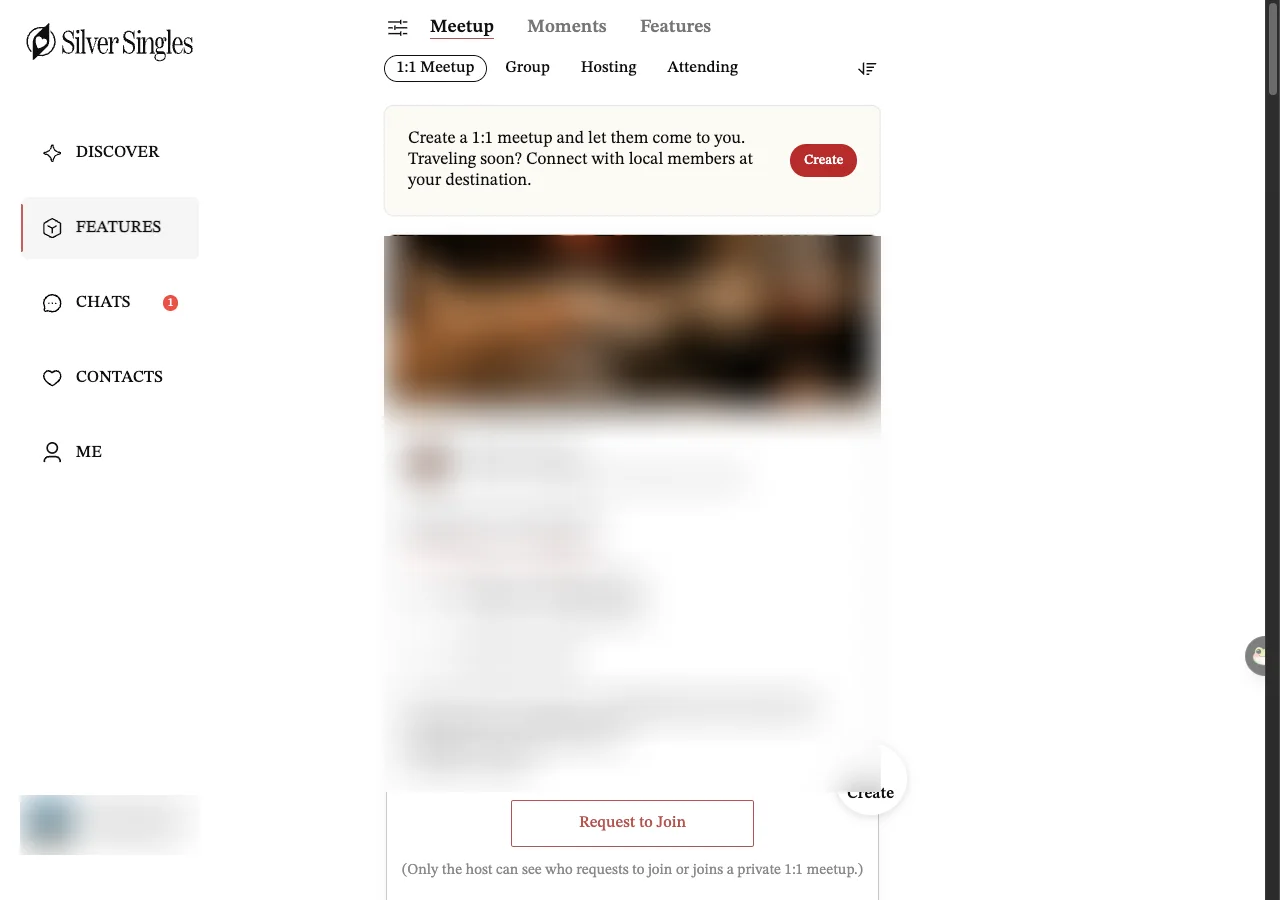
Meet-ups are events other members host, and there are interest groups you can join. A 1:1 Meetup is one member saying they would like company for something, a coffee or a meal, at a place and time they choose. If you fancy it, you press Request to Join. For a private 1:1 meetup the site says only the host can see who has asked or joined. Whether a free account can send the request is to confirm.
One thing to know before you look forward to a meet-up near you. When we looked on 15 September 2026, the 1:1 Meetup list showed ten hosts: eight in the United States, one in Germany and one in England whose meet-up had already ended. The five still open to join were all in the United States or Germany. So a UK member may see few local events for now. The rest of the site works as normal, and if you would rather not see people abroad at all, you can set the site to show you only UK members. The steps are on only see UK members. The site had 22 interest groups when we looked, and a free account can join them.
How long does it take?
Five screens, then a photo of your face, and the rest can wait. The first screen has three questions and a tick box. The longest part is screen 4, the two boxes about you and the person you hope to meet. Then come photos, and at your first log-in the face photo check, which the site says takes 3 to 8 seconds. Once you are in, you do not have to finish the profile in one sitting, and you can add to it whenever you like.
The setup is the quick part. The slower part is finding people you want to talk to, and deciding whether Silver Select is worth it to message them. Take your time with that. Nothing is charged while you browse, and you can read how to stay safe before you speak to anyone.
If you want the wider picture first, start at SilverSingles UK, which links to the cost, the safety habits and the help pages for UK members.
Questions people ask
Is SilverSingles an app or a website?
Can I pause my account instead of deleting it?
Is there a personality test when you sign up?
Do I need a photo?
Last updated 17 September 2026.